


A public site and a control room in a single tool
The site brings the contacts in, the back-office runs the rest: money, habits, goals, projects and prospects in one place.
Role · In-house developer at ACGS
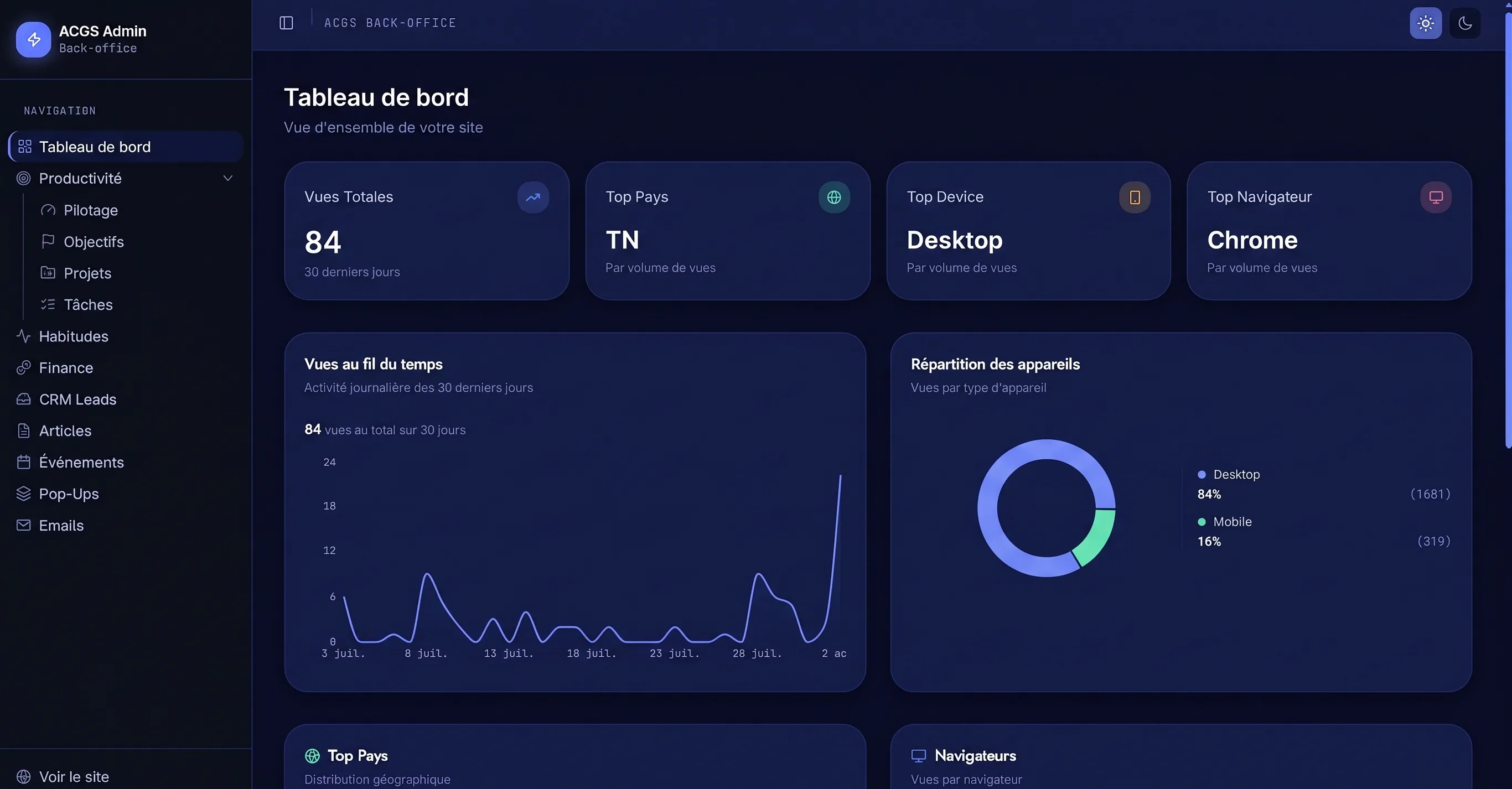
6 life areas tracked in one place
life areas tracked in one place
10 roles to charge a spend, a habit or a project to
roles to charge a spend, a habit or a project to
3 ways to get in touch, a single record to handle
ways to get in touch, a single record to handle
- Client
- Ahmed Chouikh - independent consultant and trainer
- Period
- March - June 2026
- Duration
- 4 months
- Deliverables
- A public site with a blog, an events calendar and a document library
- A back-office holding contacts, content, finances, habits and projects
- Three acknowledgements sent automatically, one per way in
- Audience tracking with no advertising tracker and no address kept in the clear
Two halves that never spoke to each other
On one side, a site pulling in requests through three doors: the contact form, an event registration, a document claimed in exchange for an address. On the other, the running of daily life - money, habits, goals, projects. Nothing connected the two.
Both were built as one tool. Whichever door is used, the request creates the same record, its acknowledgement goes out unprompted, and the follow-up happens right there.
What ties it together is roles. A spend, a habit or a project is charged to the role that drove it, which makes visible how much of the budget and of the time each one takes. A project tied to an account shows an overrun without any calculation.
The two halves, in motion
The public site. This is what brings the requests in. A fourth way in, on top of the three doors: booking a call. The control room. The loop stops where the recording started showing third-party data.
What you can do day to day
- Publish an article or announce an event, and watch registrations come in up to the seat limit
- Offer a document in exchange for an address, and pick up the contact along the way
- Find every contact from the site in one place, with their request and its status
- Log a spend by photographing the receipt, whose amount and date are read for you
- Dictate a spend to the assistant, which records it and offers a rule for next time
- Tick off the day's habits and watch consistency take shape over several weeks
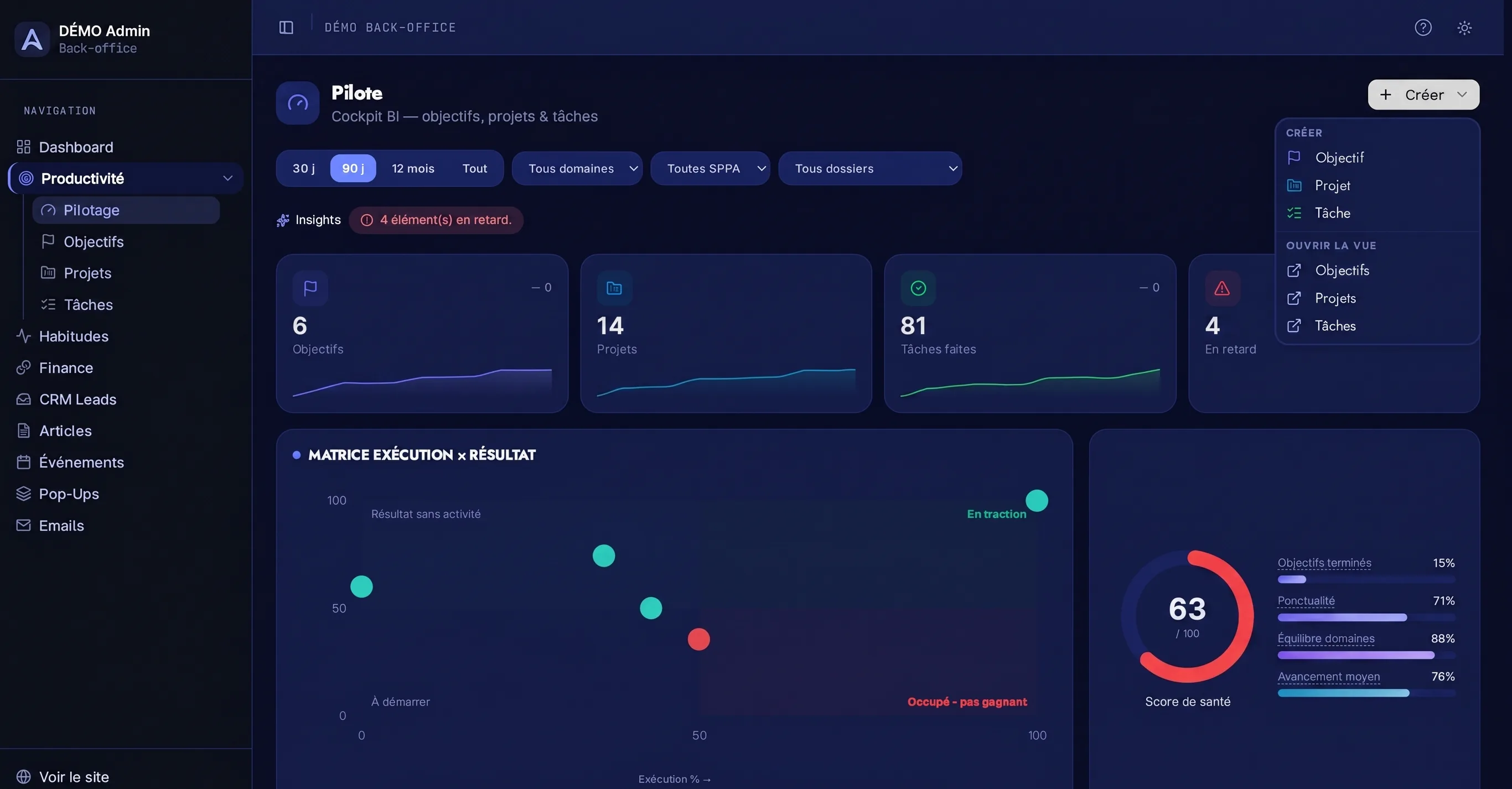
The thread of roles, screen by screen
Twelve projects, five folders. Revenue and margin read at the top, with no spreadsheet in between. Every card carries its duration, its due date and the role that drove it - the same list as in the finances and the habits.
From visitor to handled contact
The visitor arrives
They read an article, book a slot or leave with a document in exchange for their address.
The acknowledgement goes out
A confirmation email is sent straight away, with nobody having to write it.
The record shows up
Message, registration or download all produce the same record, with its origin.
Follow-up happens right there
The record changes status, takes a note and feeds the bulk sends, on the same screen.
The three doors, one by one
A message. The record is created, the acknowledgement goes out. A registration. Same record, up to the seat limit. A download. Same record, and the contact picked up along the way.
The pages, at full size
The home banner. Three call formats, two of them free. The form separates an individual from a company at the very first question.
Three trade-offs, and what they cost
One user, every day, on data that mixes their professional activity with their private life.
- Options considered
- Partition the data per account from the start, table by table - or allow only known addresses and stop there.
- Decision
- The allow-list of addresses. Data is not partitioned per account.
- Why
- For a single user, partitioning protects nobody: there is no second account to defend against. The work exists and is scoped - reworking the access rules table by table - but doing it up front would have cost time on the modules that get used every day. The price is owned and written down: opening the tool to several people requires that rework.
Money, habits and projects were tracked separately. There was no way to say what each part of life cost, in money or in hours.
- Options considered
- A taxonomy of its own per module, closest to each one’s use - or a single list of roles, offered at entry time across all three.
- Decision
- A single list, defined once and shared by the finances, the habits and the projects.
- Why
- Three taxonomies would each have been more accurate on their own, and would have had nothing to add up between them. The shared list is the one place where time and money meet: it is what makes a role’s share of the budget and of the week readable, and a project tied to an account shows its overrun with no calculation.
Three ways to get in touch, three forms, three shapes of data: a free-text message, a registration with its seat count, a download in exchange for an address.
- Options considered
- Handle each source in its own screen, closest to its fields - or bring everything down to a single record that carries its origin.
- Decision
- A single record, with its origin and its status.
- Why
- Three screens would have kept each source truer to itself, and made follow-up impossible: a request gets lost precisely by having three places to look. The acknowledgement does stay specific to each door - that is the one place where the message has to differ. The rest is shared, and is handled on one screen.
A tool cut for one person
Access rests on a list of allowed addresses and data is not partitioned per account: enough for a single user, and owned as such. Opening the tool to several people means reworking the access rules table by table - the work is scoped, it is not done.
What changes, in three numbers
6 life areas tracked in one place
life areas tracked in one place
How it was measured · Every goal sits in one of them, from professional to health.
10 roles to charge a spend, a habit or a project to
roles to charge a spend, a habit or a project to
How it was measured · The list is defined once, then offered at entry time across all three modules.
3 ways to get in touch, a single record to handle
ways to get in touch, a single record to handle
How it was measured · Message, registration or download all produce the same record.
An assistant that does the typing
Data entry is what kills a personal tracking tool. A spend logged three days late is not logged at all, and a month of gaps makes the tracking useless.
The assistant removes that friction from both ends. Photograph a receipt: the amount and date are read from it, and the spend is recorded. Or dictate it out loud, and it offers a rule to file the next ones of the same kind automatically.
It also holds a conversation. Asked about the month just gone, about a habit slipping or a category creeping up, it answers from the account’s real data and suggests adjustments - not generic advice.
What the assistant does
- Reads a photographed receipt and pulls out the amount, the date and the merchant
- Records a spend dictated out loud, with no form to fill
- Offers a filing rule after an entry, so the next ones sort themselves
- Answers questions about the month from the account’s data, not from generalities
- Flags a habit that is slipping or a spending category stepping out of its usual range
- Picks up the thread of earlier exchanges: a question asked today builds on what was said last week
Stack
- Next.js
- React
- TypeScript
- Supabase
- PostgreSQL
- Tailwind CSS
- shadcn/ui
- Resend
- Gemini
- Sentry